
01 / AIMIX Studio
Basic synthesis
Organize media by scene and combine clips into videos. Check combinations, subtitles and audio settings before submitting.
Use the tool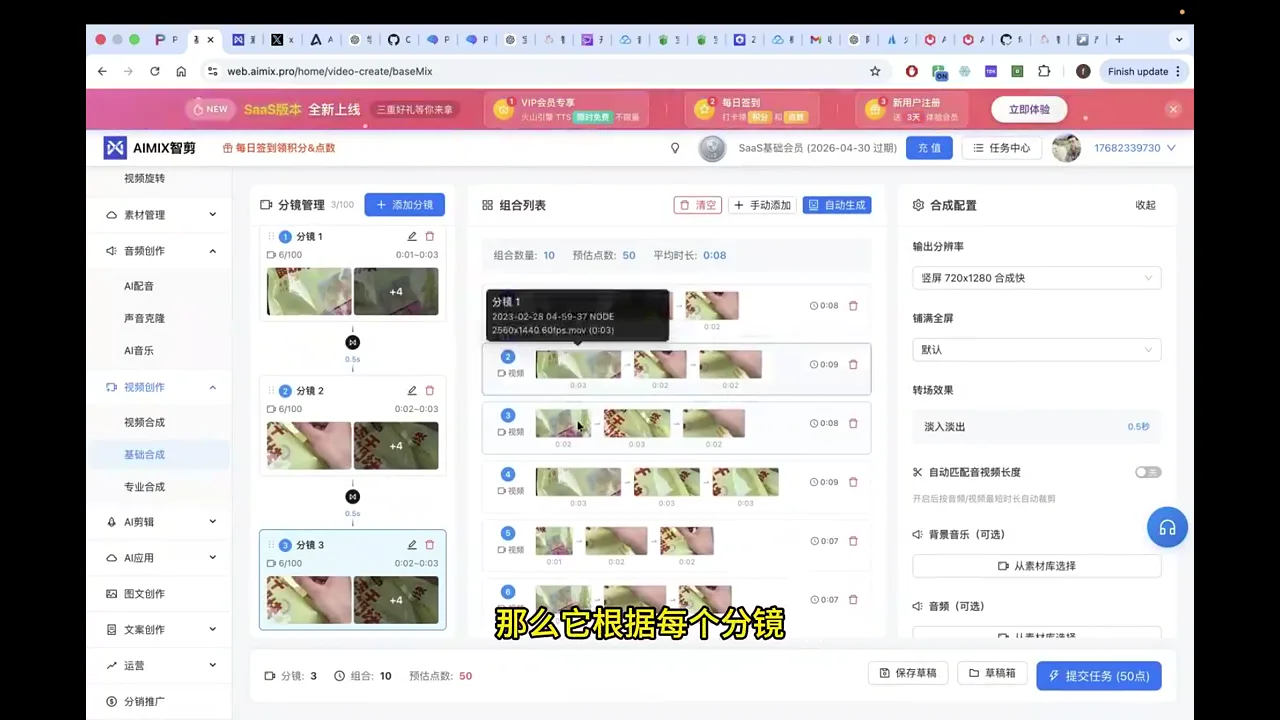
AIMIX Studio / AI video and content creation platform
Organize scenes, combine videos, and work with voiceovers and subtitles in one workspace.
Current prices and allowances are shown on the purchase page.
Organize media by scene and combine clips into videos. Check combinations, subtitles and audio settings before submitting.
01 / AIMIX Studio
Organize media by scene and combine clips into videos. Check combinations, subtitles and audio settings before submitting.
Use the tool02 / AIMIX Studio
Split longer videos at scene changes so clips are easier to organize, select and reuse.
Use the tool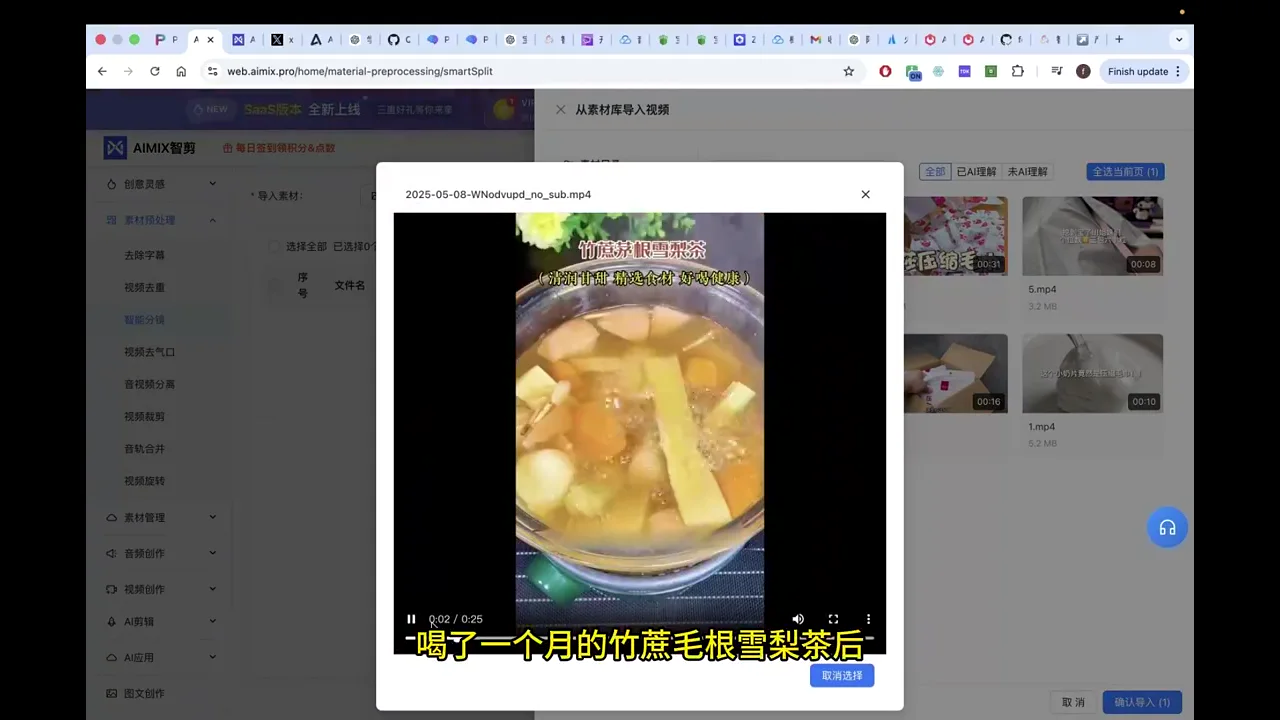
03 / AIMIX Studio
Arrange picture and voiceover for each scene, then configure subtitles, background music and output settings.
Use the tool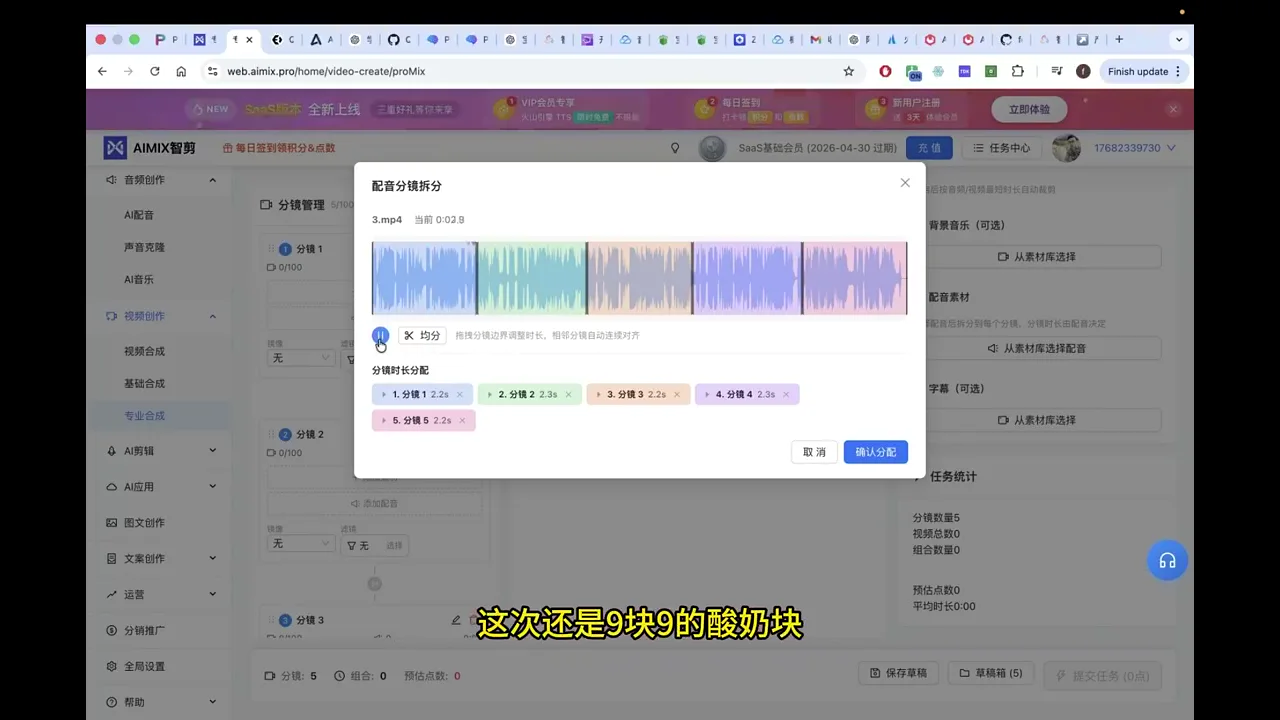
Creative tools
Sign in and follow the tool instructions. Available options, fees and limits depend on the tool and your account entitlements.
Organize media by scene and combine clips into videos.
Arrange picture and voiceover for each scene, then configure subtitles, background music and output settings.
Sign in to import video, audio, images and SRT.
Generate video scripts and break down reference videos.
Organize video, audio, images and subtitles in AIMIX.
Split longer videos at scene changes so clips are easier to organize, select and reuse.
Set the subtitle region and parameters to remove existing on-screen text.
Set mirroring, color, zoom and speed.
Shorten pauses in spoken videos to refine their pacing.
Convert text to speech.
Convert text to speech.
Create a voice from reference audio for text narration.
Transcribe speech in videos into editable text.
Generate subtitles from speech and check text and timing.
Match media to copy, organize scenes and create a video.
Generate titles from a topic, then compare and choose.
Generate an editable draft from a topic and requirements.
Generate an editable draft from a topic and requirements.
Rewrite existing copy and adjust its wording and structure.
Check copy for sensitive terms and review flagged results.
Split videos into silent MP4 and MP3 audio in your browser, with batch processing and local downloads.
Detect black borders and crop video locally while keeping available audio.
Rotate videos locally and download MP4 results.
23 / 23
Compare tools
Use basic composition to organize scenes and combine videos. Professional composition adds scene, voiceover, subtitle and audio settings. Choose the timeline editor for direct clip editing.
| Tool | Best for | Input | Output |
|---|---|---|---|
| Basic synthesis ↗ | Organize media by scene and combine clips into videos. Check combinations, subtitles and audio settings before submitting. | Storyboard · Video | Video |
| Pro synthesis ↗ | Arrange picture and voiceover for each scene, then configure subtitles, background music and output settings. | Storyboard · Video · Audio · Subtitle | Video |
| Super Editor ↗ | Timeline · Video · SRT | Video · Audio · Images · Subtitle | JSON · SRT |
AIMIX Studio
Sign in, open My materials and create or select a folder on the left. Separate projects and keep source footage, narration, images and subtitles in clearly named locations.
Review the scenes and edit shot names, timing, visual descriptions and copy.
Preview the timeline, save the draft and download a project backup. Export SRT when needed; use the video export dialog according to its current capabilities.
Current prices and allowances are shown on the purchase page.
AIMIX Studio / Desktop app
Start with online tools in your browser. The desktop app offers another way to work; Windows and Mac M-series downloads are available below.
Compare toolsAIMIX Studio
FAQ
Organize scenes, combine videos, and work with voiceovers and subtitles in one workspace.
Use basic composition to organize scenes and combine videos. Professional composition adds scene, voiceover, subtitle and audio settings. Choose the timeline editor for direct clip editing.
Organize video, audio, images and subtitles in AIMIX. Explore folders, batch uploads, search, previews, downloads and folder sharing, then open your workspace.
Start with online tools in your browser. The desktop app offers another way to work; Windows and Mac M-series downloads are available below.
Current prices and allowances are shown on the purchase page. Sign in and follow the tool instructions. Available options, fees and limits depend on the tool and your account entitlements.
No. Project JSON stores editing structure without media. Finished video needs the currently available cloud-rendering workflow.
Each video must be no larger than 256 MB. Local files are processed in this browser without spending points. The first run loads the processing engine. Speed depends on your device, duration, resolution and available memory; test a short clip first. Cloud-library media must be downloaded before processing, which depends on network and cross-origin permissions. If that fails, download the file and import it locally. Download results before refreshing or leaving: current results are temporary. Processing may re-encode the file; keep originals and check picture and sound.
Retry or open the original video link below the demo. Check your network and browser audio permissions, or update Chrome or Edge. Previews are muted; enable sound in the full demo.
Organize scenes, combine videos, and work with voiceovers and subtitles in one workspace.